Anyone who writes about money online knows the pattern. You publish a careful comparison, say gold versus property as a place to park savings, and then the real question starts: is anyone finding it? Finance content is crowded, rankings move slowly, and a guide can sit on page three for months without telling you anything. This piece looks at the six-card keyword dashboard in ServiceHub247 and asks a narrow question: does it give a small finance site a useful weekly picture of its search positions, and where does it fall short?
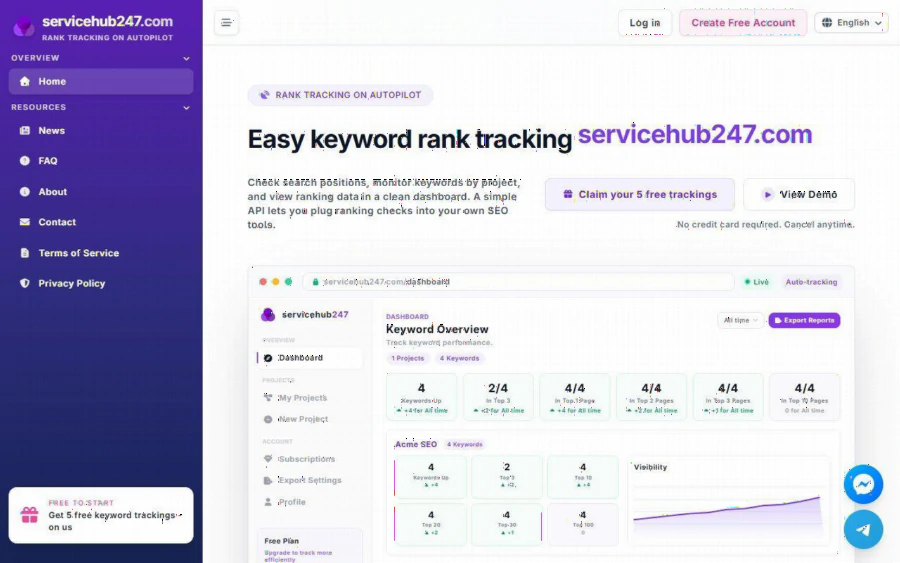
ServiceHub247 home page showing the Keyword Overview dashboard with Keywords Up, Top 3, Top 10, Top 20, Top 30 and Top 100 cards
A scenario to anchor the review
To keep this concrete, here is an assumed example. It is not a real customer story. Imagine a one-person site that explains gold versus land as a long-term store of value. The owner has five articles that matter: a gold price explainer, a land buying checklist, a comparison piece, a glossary of investing terms, and a page on selling gold safely. Each article targets one main keyword. The owner wants to open a page every Monday and learn, in under a minute, whether those five pages are moving.
That is the exact shape of job the tool is built for. ServiceHub247 describes itself as "Rank tracking on autopilot." You create a project for your site, add a URL, a keyword and a region, and the service checks positions on its own schedule. The home page notes that new keywords may take 5 to 10 minutes to show ranking data, so the first result is not instant but it is quick.
What the dashboard actually shows
The home page demo and the FAQ describe a Keyword Overview built from six cards: Keywords Up, Top 3, Top 10, Top 20, Top 30 and Top 100. Each card counts how many of your tracked keywords sit inside that band, and shows a change figure for the selected timeframe. A Visibility chart sits next to the cards for each project, and a Position Trend chart shows individual movement.
For our imagined five-keyword site, this is useful in a plain way. If the comparison piece slides from the Top 20 card into the Top 10 card, you see it as a number moving, not as a hunch. If the glossary page drops out of the Top 100, the count shrinks. You do not need to remember last week's spreadsheet.
Two details from the FAQ are worth knowing before you trust the arrows. The up and down badge compares the latest position with the first position in the selected window, so changing the timeframe from "Yesterday" to "All time" changes the story. The FAQ also lists several common misreadings. Read that article first, because a green arrow on an all-time view can hide a bad week.
Region matters more than you expect
Every keyword carries a region field, which decides whose Google results are tracked. For a finance site this is not a footnote. A guide about selling gold safely may rank well for readers in one country and nowhere for another. The FAQ covers region choices for local, export and multi-market use. If your audience is in a single country, pick that one and keep it fixed, so the trend line compares like with like.
Alerts, digest and reports
Beyond the cards, the product lists rank alerts, exportable reports, and an API on every plan, including the free one. The FAQ also describes a daily ranking digest with UP, DOWN, NEW and LOST sections, plus a guide to presenting PDF reports to clients. The site does not spell out exactly how the digest is delivered, so check that in your account before you rely on it.
The reporting side makes more sense if you write for others. A freelancer who runs finance content for two or three small clients can export a PDF and attach it to a monthly update, instead of rebuilding charts by hand.
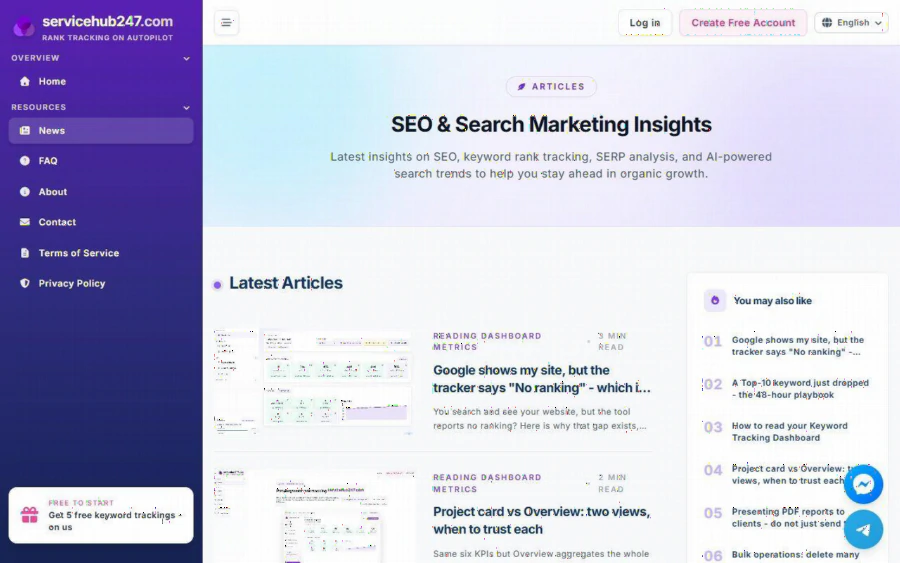
ServiceHub247 blog page listing articles on reading dashboard metrics and Project card versus Overview
Pricing in plain numbers
The listed plans, as shown on the home page, are:
- Free: $0 forever, 5 keywords, checked weekly, no credit card required.
- Lite Weekly: $5.90 per month, 30 keywords.
- Standard Weekly: $7.90 per month, 50 keywords (listed at $11 before discount).
- Lite Daily: $21.90 per month, 30 keywords.
- Standard Daily: $29.90 per month, 50 keywords (listed at $46 before discount).
- Enterprise: custom quote.
Paid plans auto-renew through Stripe and the page says you can cancel anytime. For our five-article example, the free plan already fits, with all five keywords tracked weekly. Weekly checks are also reasonable for a topic like this, because search positions for evergreen finance guides rarely swing hour to hour. Daily plans make more sense when you run paid campaigns or you are watching a launch.
Strengths and limits
Strengths first. The overview is easy to read at a glance, the free tier is generous enough to run a real test on a handful of pages, and the API means you can pull positions into your own reports. The FAQ is unusually practical: it explains why a tracker may report "No ranking" when you can see your site in Google, and how the numbers can differ from Search Console.
Now the limits. The free plan caps you at five keywords, so a site with fifty articles will need a paid plan quickly. The pricing has no dedicated page, and sits on the home page under "All Plans," which makes comparing it with other tools slightly awkward. Support is offered through Facebook chat, which suits some users and not others. And like any rank tracker, it tells you where you stand, not why. It will not write the article or fix a weak page.
Who should use it, and who should skip it
It suits solo bloggers, freelancers and small agencies who need a clear weekly view of a limited keyword list. It also suits anyone who has been logging positions by hand. It is less suited to large publishers who track thousands of terms, or to teams who want a full SEO suite with site audits and backlink research in one place.
How to start
The path is short. Create a free account on the registration page, make one project for your site, and add your five most important keywords with the right region. Wait the few minutes the home page mentions, then open the Keyword Overview. After two or three weekly checks, switch the timeframe and see which pages are climbing. Decide only then whether you need more keywords or daily checks.